Measuring your rig
A rig preset builds the chain with dimensions from the manufacturers' drawings. A few of them depend on how your rig is set up (tripod height, arm length, where the camera sits on the head): measure those on your rig and enter them on the node cards of the Camera Rig page.
Each figure shows the Preset14 from the side, levelled, with what to measure numbered. Measure in metres, with the rig level, from the points shown: an axis is measured at its centre. The figures never give values: the ones in the preset are only starting points.
The sensor offset ends at the sensor plane
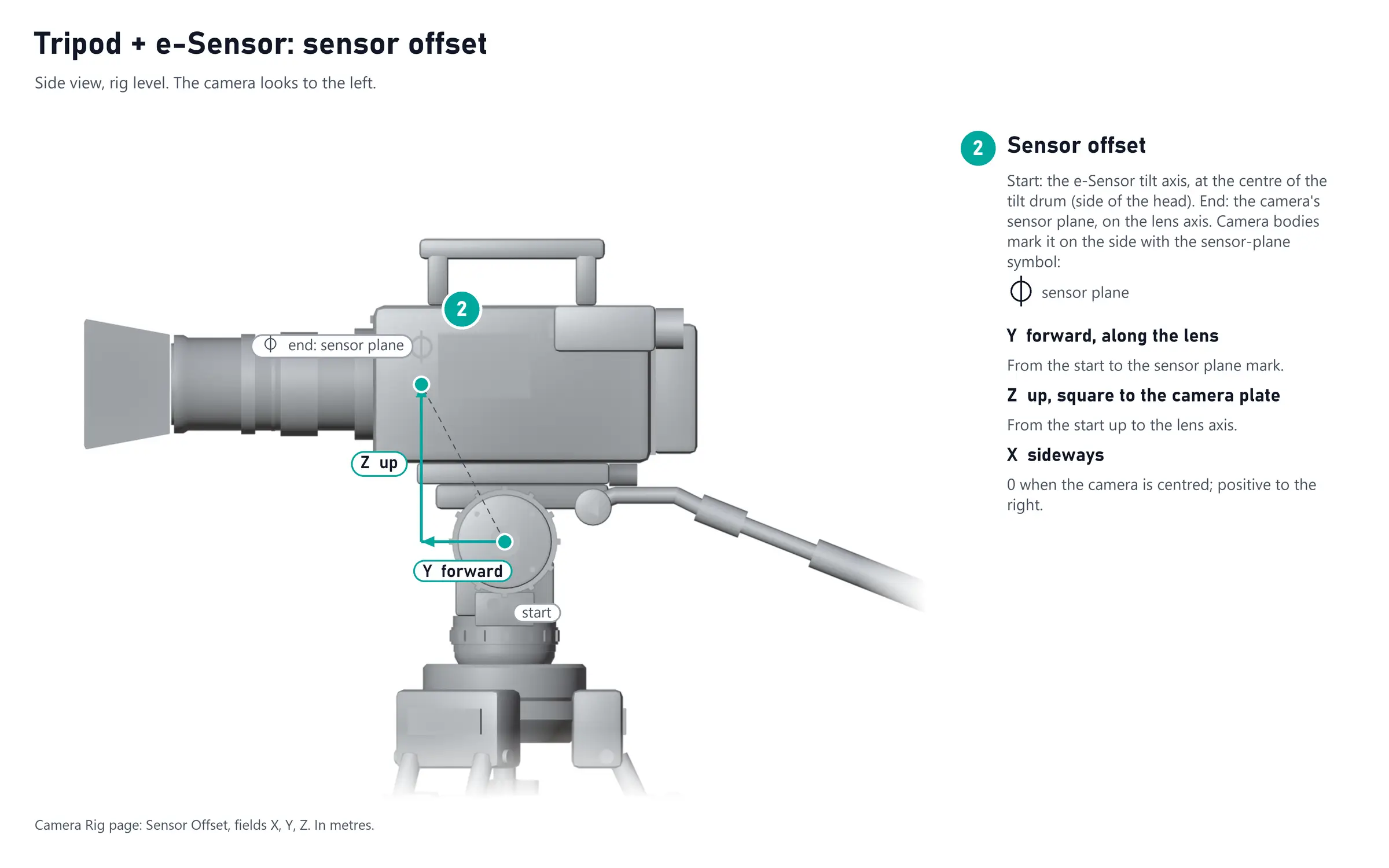
The Sensor offset15 always ends at the camera's Sensor plane16, on the lens axis. Camera bodies mark the sensor plane on the side with a circle crossed by a line. The 3D view starts the camera's view cone at the lens's Entrance pupil4, ahead of the sensor plane, from the lens data.
Example: Tripod + e-Sensor
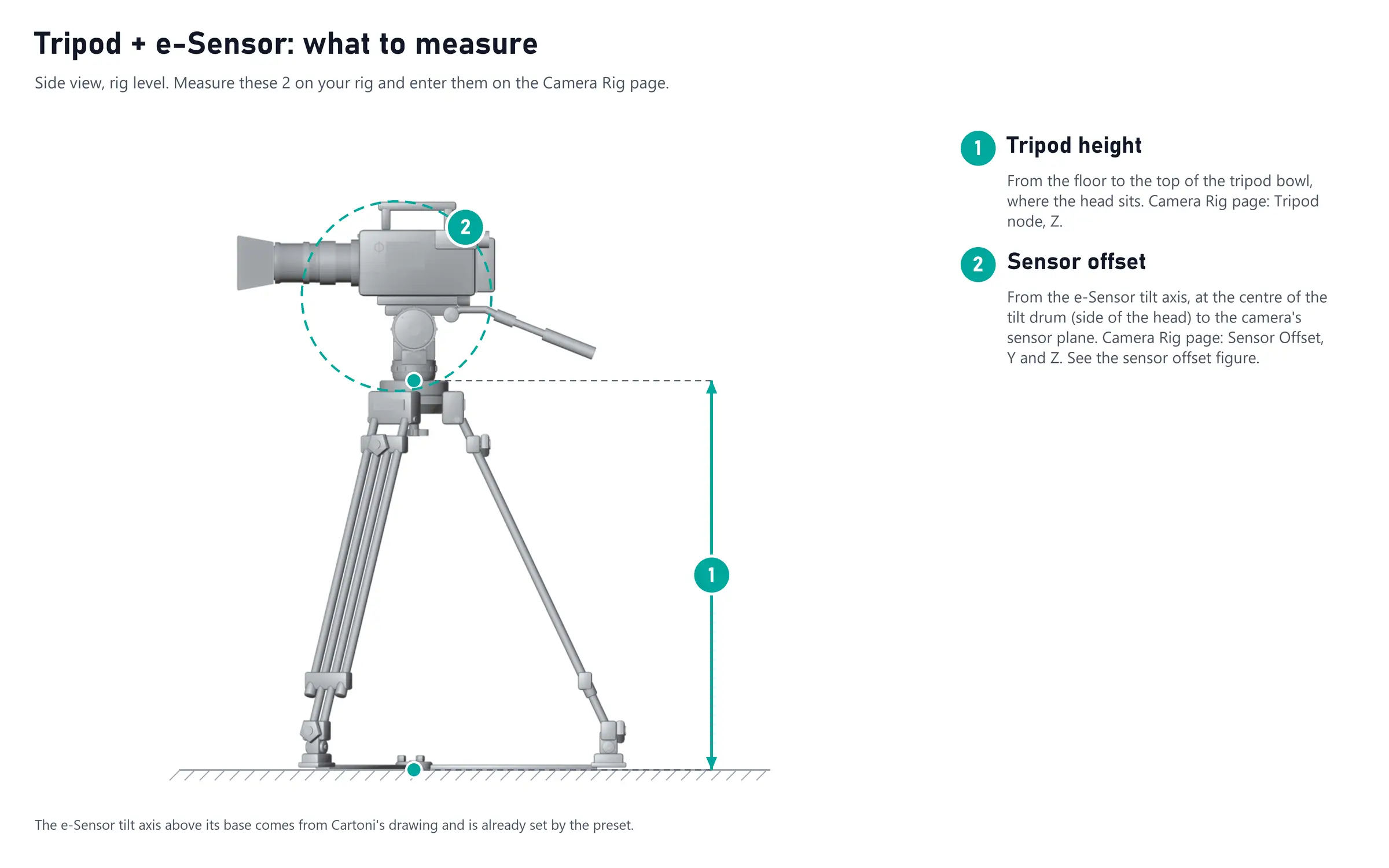
The e-Sensor is Cartoni's fluid head with encoders, here on a tripod. The tripod height and the Sensor offset15 are measured the same way for any head on a tripod. Each figure numbers what to measure and says where it goes on the Camera Rig page:
Your preset
Each firmware's Presets page shows what to measure on every preset it offers:
Better measurements, better tracking
The more precise the measurements you make, the more precise the tracking will be. To automate them and get the best out of your system, we recommend measuring with CalibFX Lineup: point the camera at the CalibFX cube, and Lineup works out the offsets of the rig from what the camera sees, so the virtual camera sits on the real one without a tape measure.