OptiTrack presets
Load a Preset14 in Settings → Rig → Presets: it builds the rig chain, already bound to the right channels (Rig presets). Measure the dimensions in bold on your rig and enter them on the node cards (Measuring your rig). Tripod + FR7 and Slider + FR7, offered on every firmware, are on the Standard presets page.
CinePuck on camera
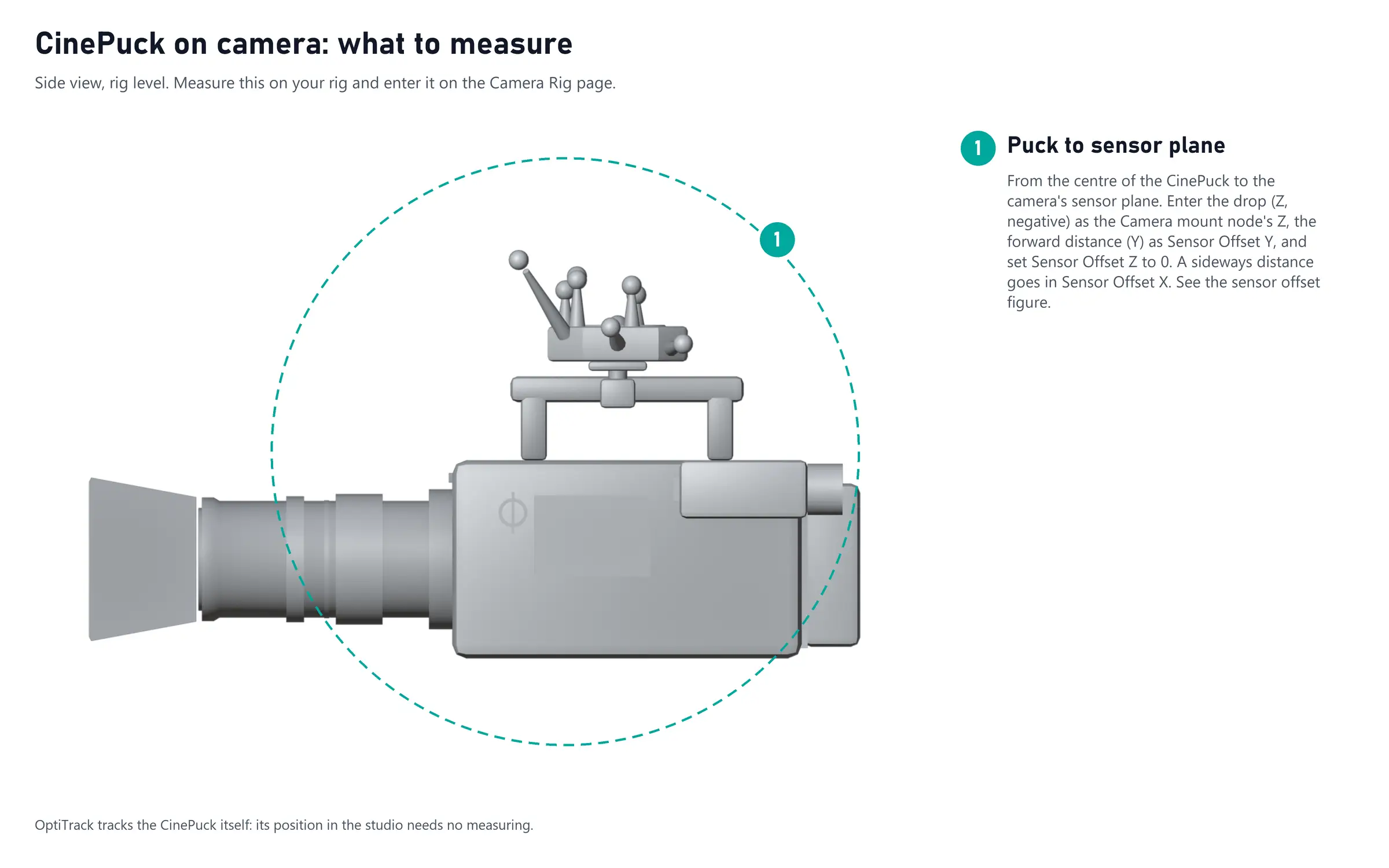
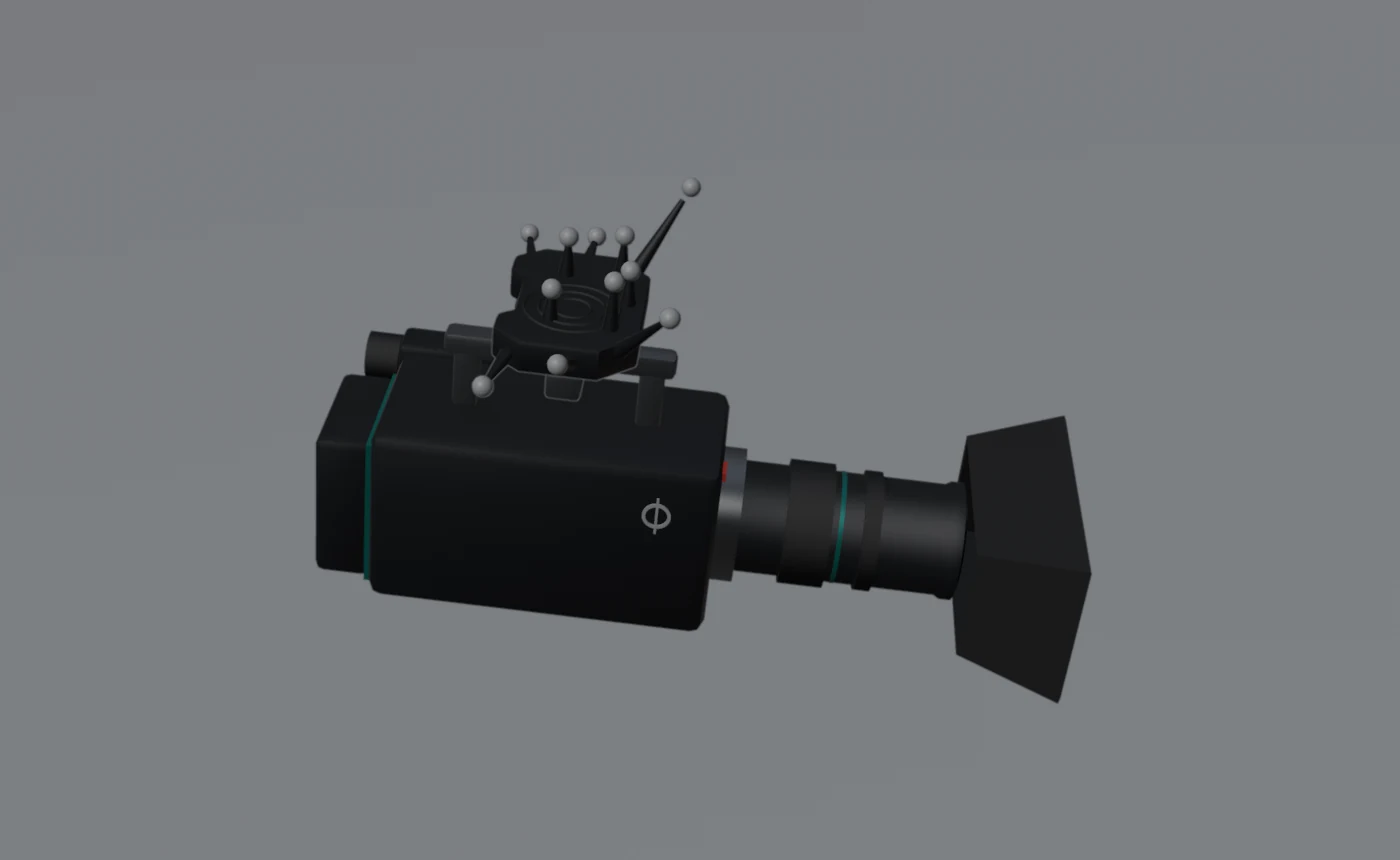
An OptiTrack CinePuck, or another rigid body, on top of the camera. Tutorial: CinePuck on camera.
Input: the OptiTrack source pose. Create the rigid body in Motive with the camera level and looking along Motive's +Z. Motive's origin is the zero of the studio: the Studio offset17 stays at 0.
| Node | What it is | Set |
|---|---|---|
| CinePuck | The rigid body's pose, from Motive | OptiTrack pose |
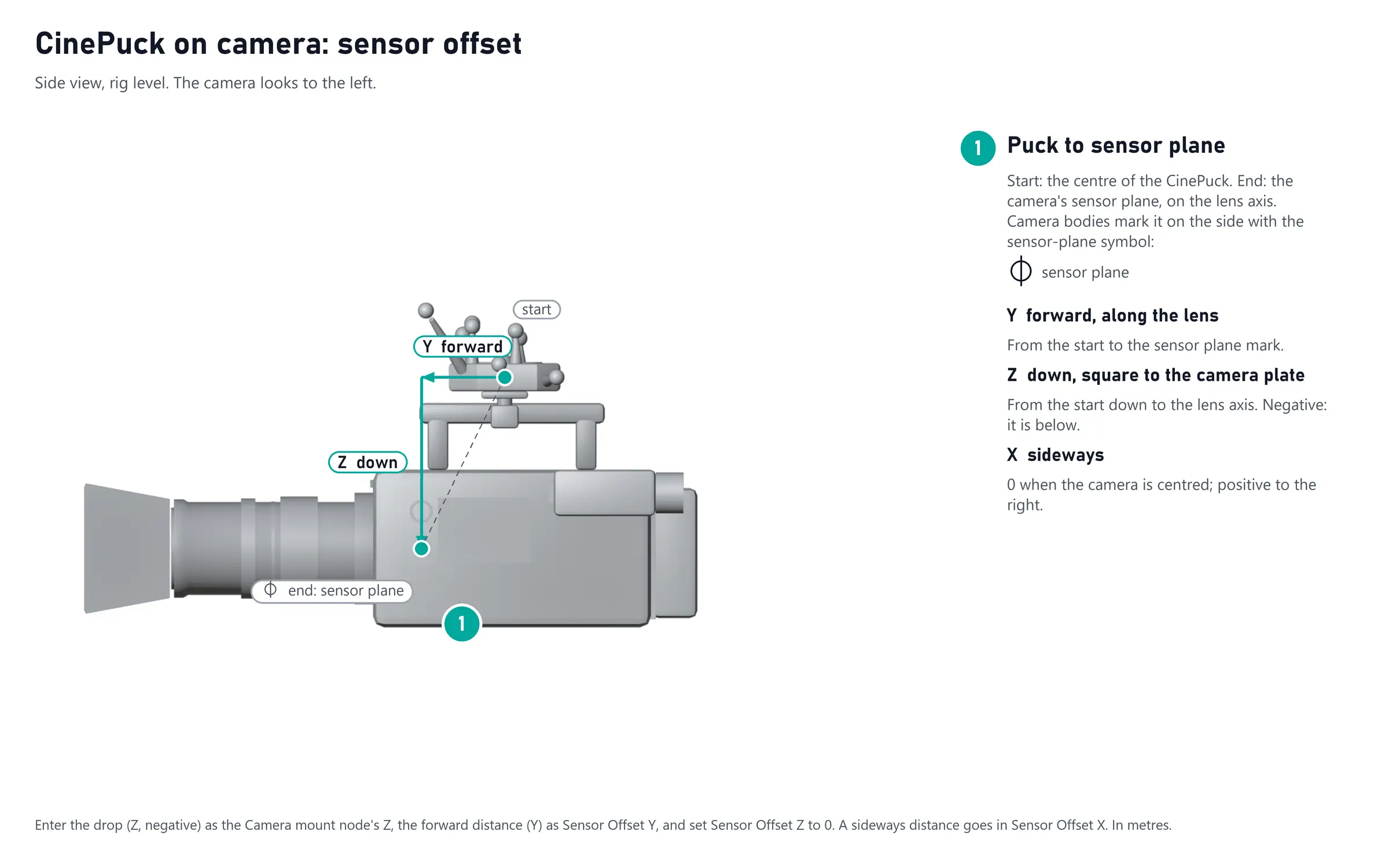
| Camera mount | Down from the centre of the rigid body | Z = the drop to the sensor plane, negative (1) |
| Sensor offset | Forward to the sensor plane | Y = the forward distance (1), Z = 0; X for a sideways distance |
Measure from the centre of the rigid body in Motive (its pivot point), not from the puck's housing.