Kuper presets
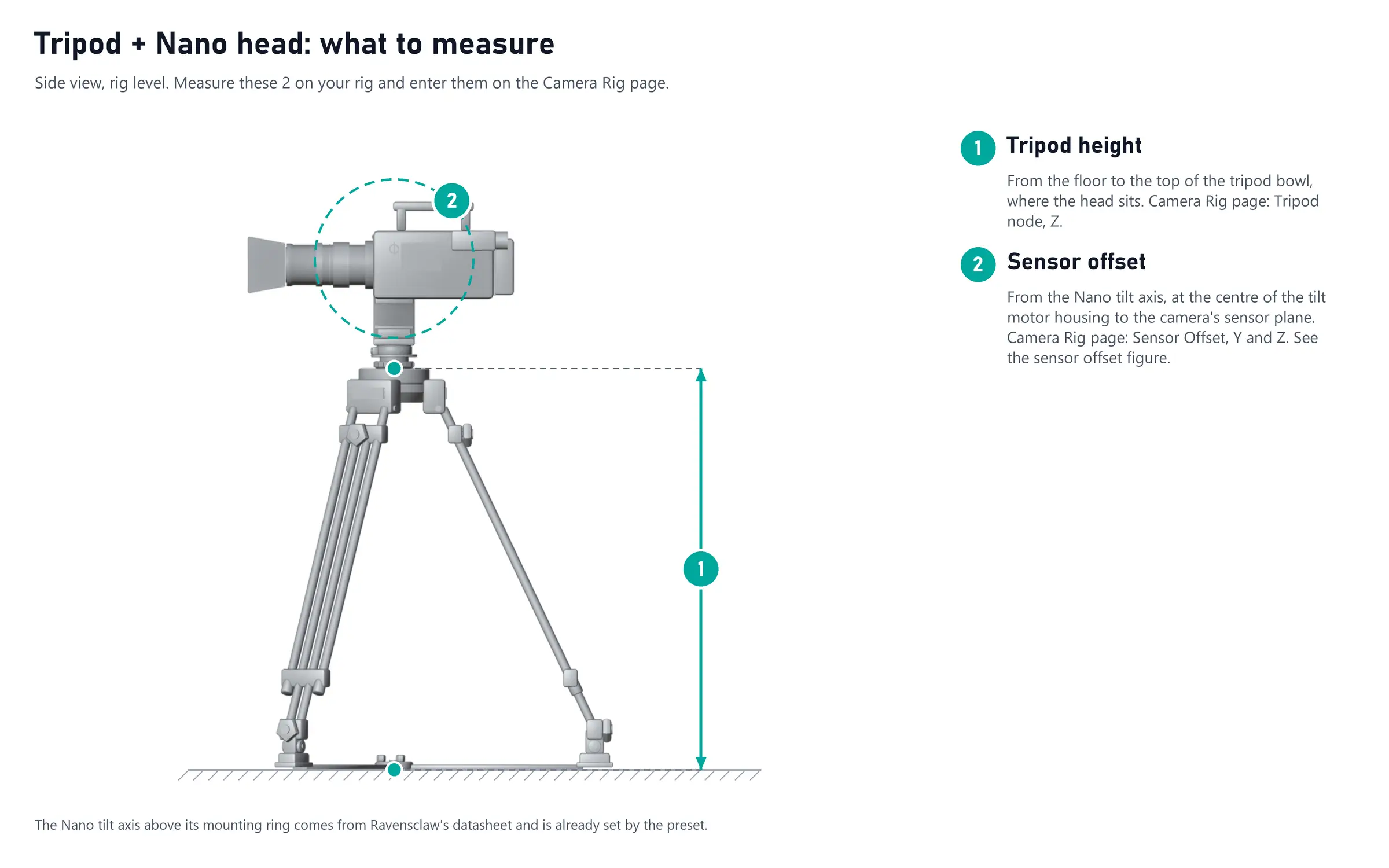
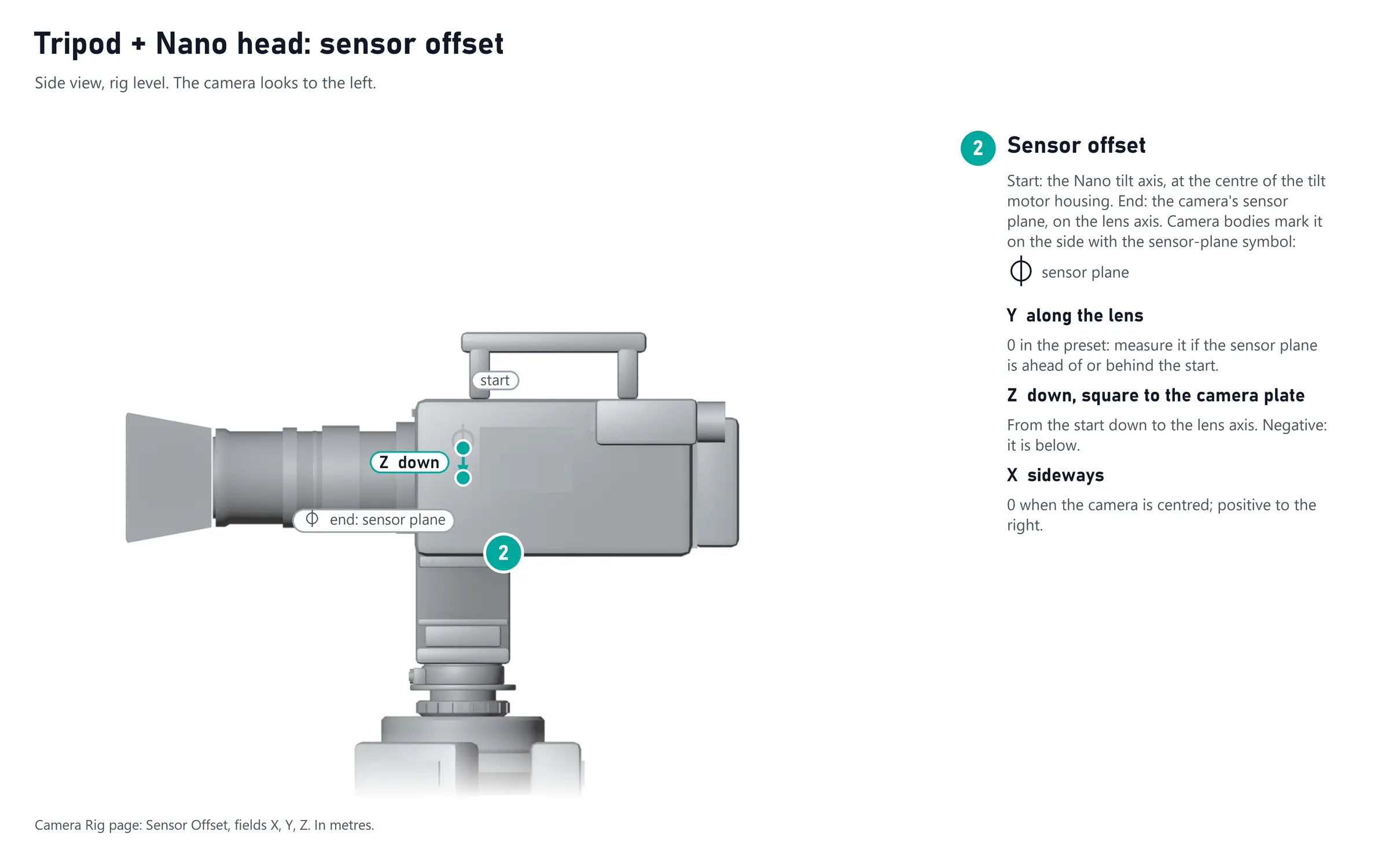
Load a Preset14 in Settings → Rig → Presets: it builds the rig chain, already bound to the right channels (Rig presets). The other dimensions come from the manufacturers' drawings: measure the ones in bold on your rig and enter them on the node cards (Measuring your rig). Tripod + FR7 and Slider + FR7, offered on every firmware, are on the Standard presets page.
Tripod + Nano head
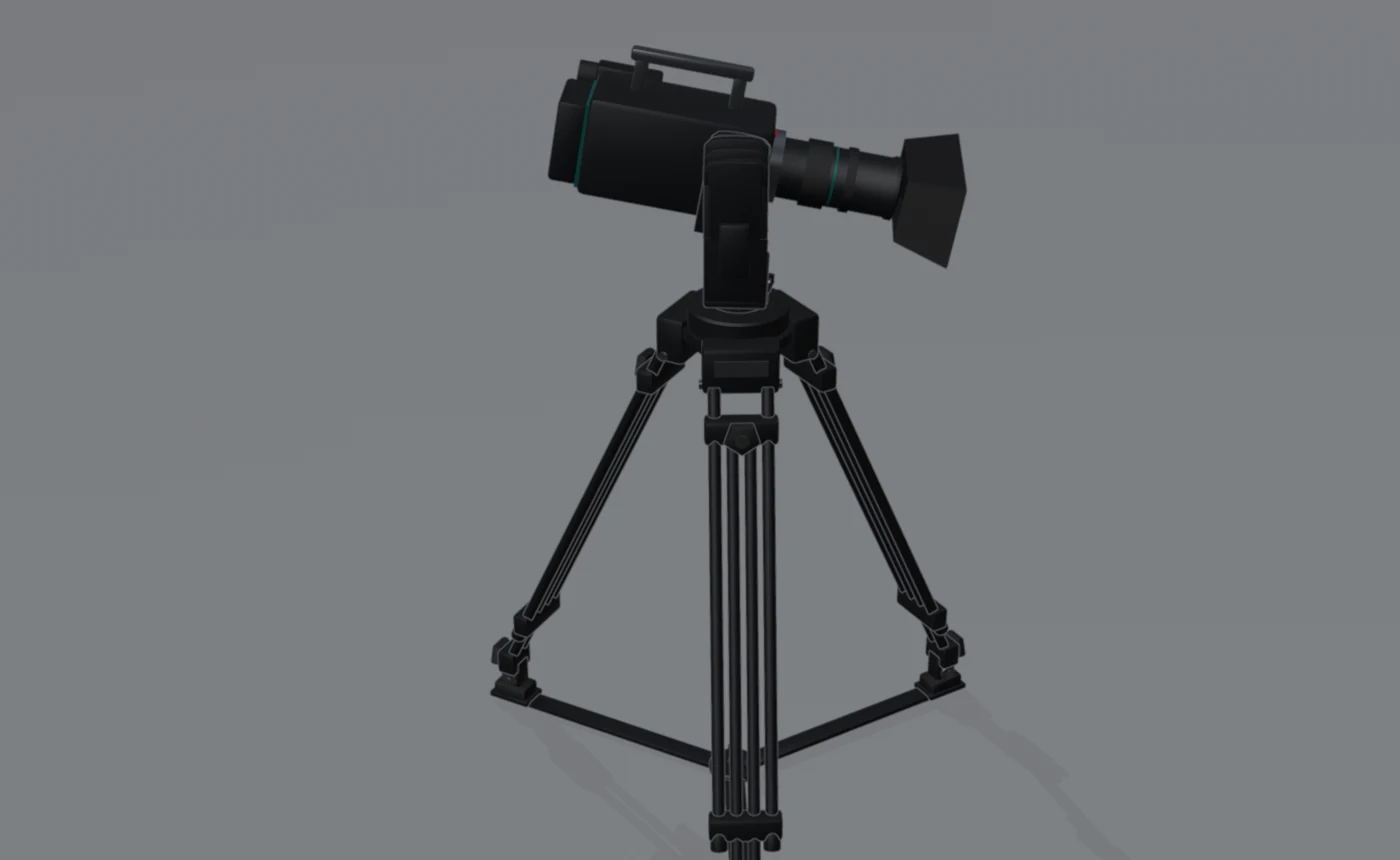
A Ravensclaw Nano remote head on a tripod, the camera on its plate.
Input: the Kuper source: pan on CH1, tilt on CH2. Loading the preset also applies the Nano head preset of the Kuper source card: the head's counts per degree, zoom on CH3 and focus on CH4 for kuper/fiz.
| Node | What it is | Set |
|---|---|---|
| Tripod | Floor to the top of the tripod bowl | Z = your tripod height (1) |
| Nano head | The Nano's tilt axis, 0.290 m above its mounting face | Pan = kuper/CH1, tilt = kuper/CH2 |
| Sensor offset | Tilt axis to the Sensor plane16 | Y and Z = your sensor offset (2) |