Filmotechnic presets
Load a Preset14 in Settings → Rig → Presets: it builds the rig chain, already bound to the right channels (Rig presets). The other dimensions come from the manufacturers' drawings: measure the ones in bold on your rig and enter them on the node cards (Measuring your rig). Tripod + FR7 and Slider + FR7, offered on every firmware, are on the Standard presets page.
Technoscope + Colibri
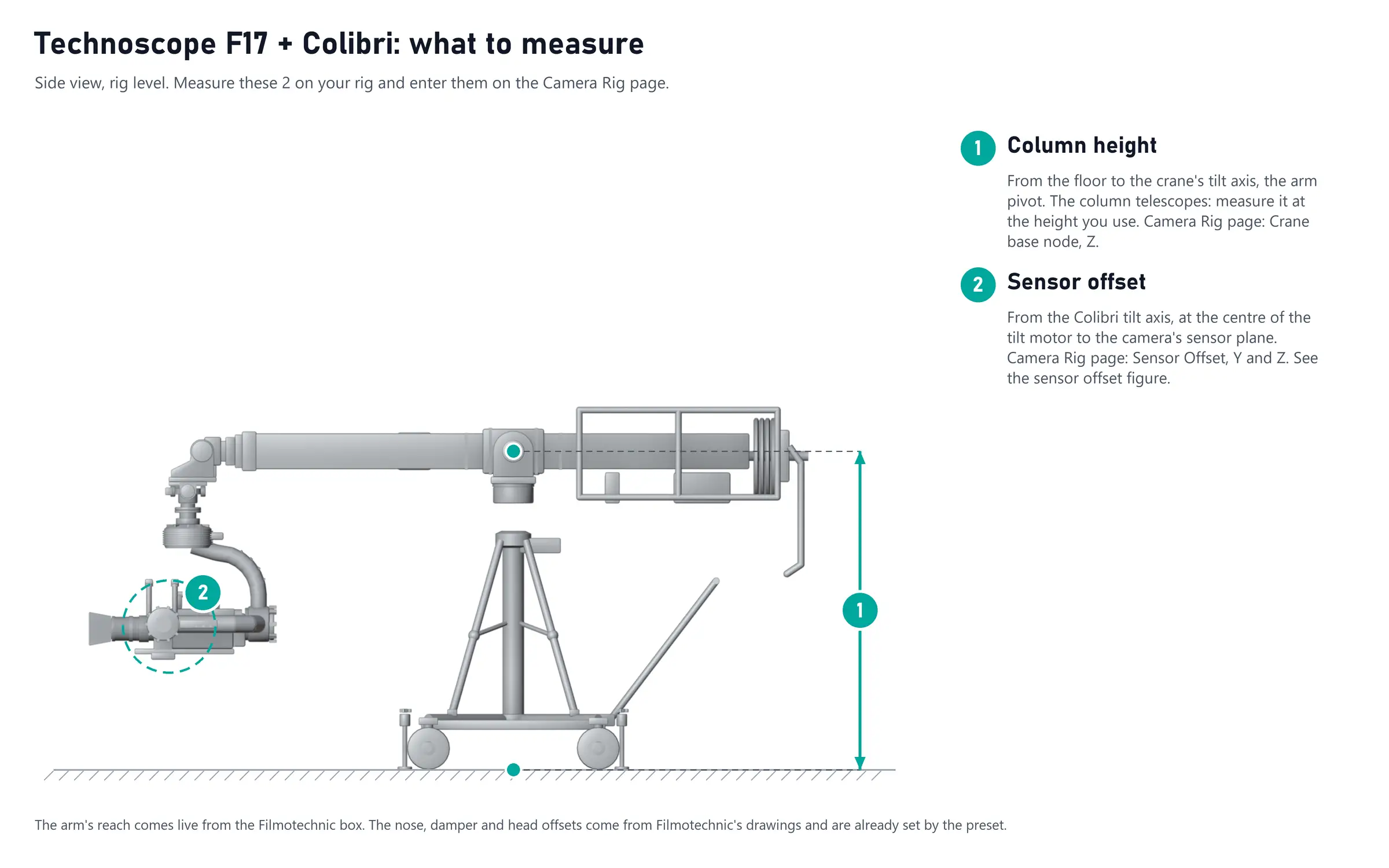
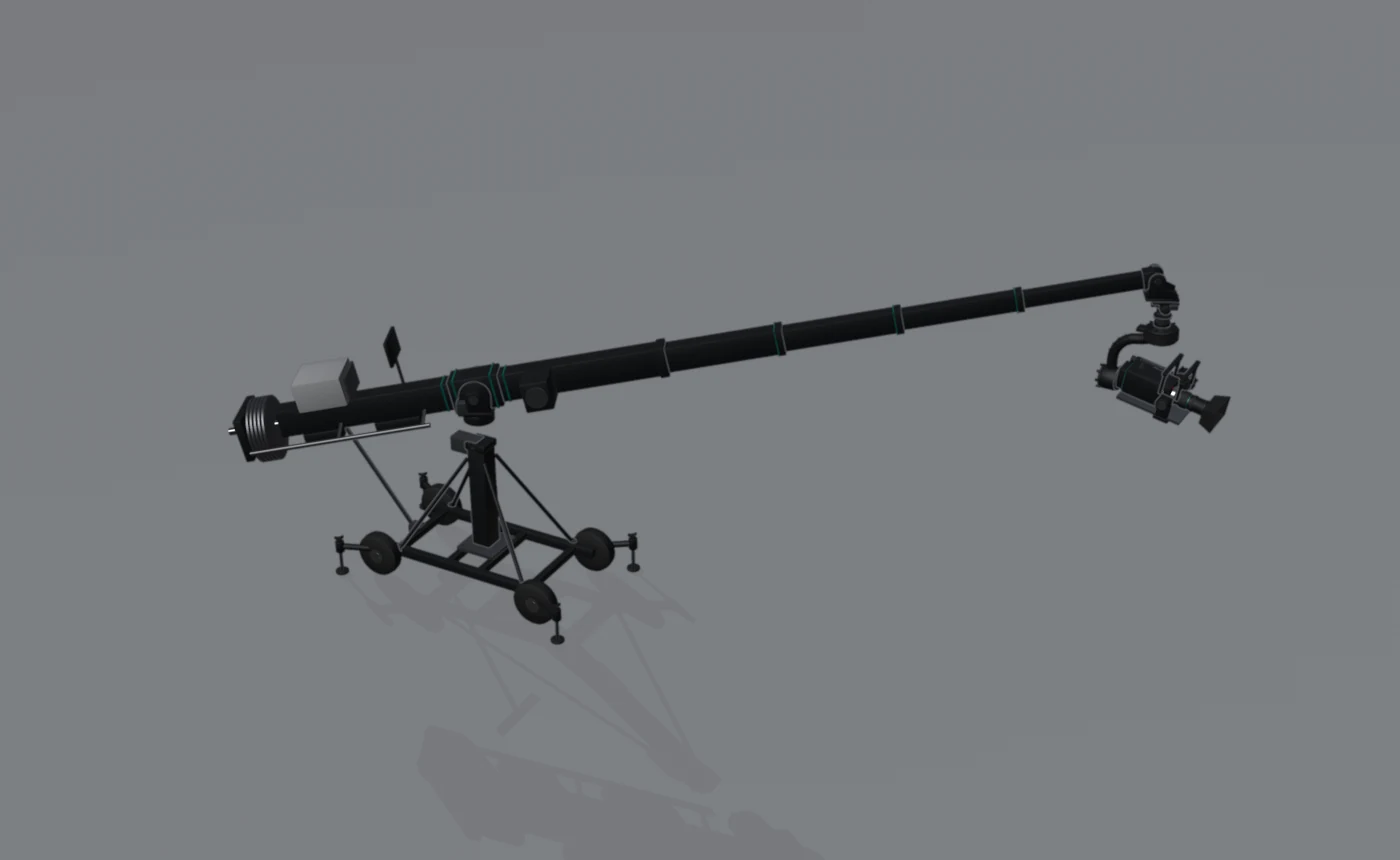
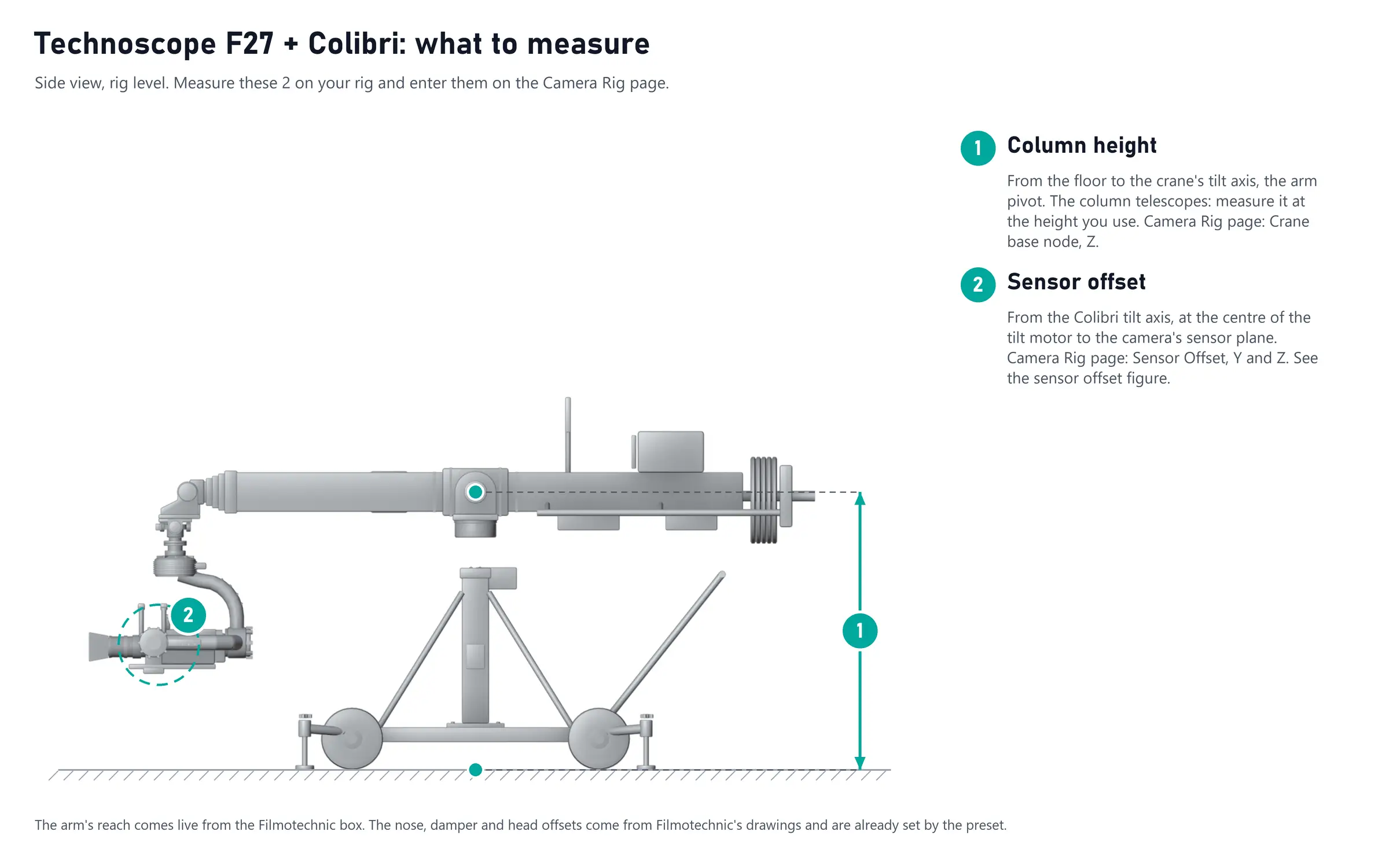
A Filmotechnic Technoscope telescopic crane with a two-axis damper and a Flight Head Colibri. Two presets, one per crane: Technoscope F27 + Colibri and Technoscope F17 + Colibri. They build the same chain; loading one also sets the reach of the TSL channel on the Filmotechnic source to that crane's retracted reach (F27 1.40 m, F17 1.32 m).
Input: the Filmotechnic source channels, as the box sends them. If an axis turns the wrong way in the 3D view, toggle Negate on that field.
| Node | What it is | Set |
|---|---|---|
| Crane base | Floor to the crane's tilt axis, the arm pivot | Z = your column height (1) |
| Crane pan/tilt | The arm pivot | Pan = TSP, tilt = TST |
| Arm | Pivot to the nose | Y = TSL, the live reach |
| Counter-tilt | Keeps the nose level, as the crane does | Tilt = TST (negated) |
| Damper | The two-axis damper under the nose plate | Tilt = CH1, roll = CH2; position from Filmotechnic's drawing |
| Head pan | Colibri pan | Pan = FHP |
| Head roll | Colibri roll | Roll = FHR |
| Head tilt | Colibri tilt | Tilt = FHT |
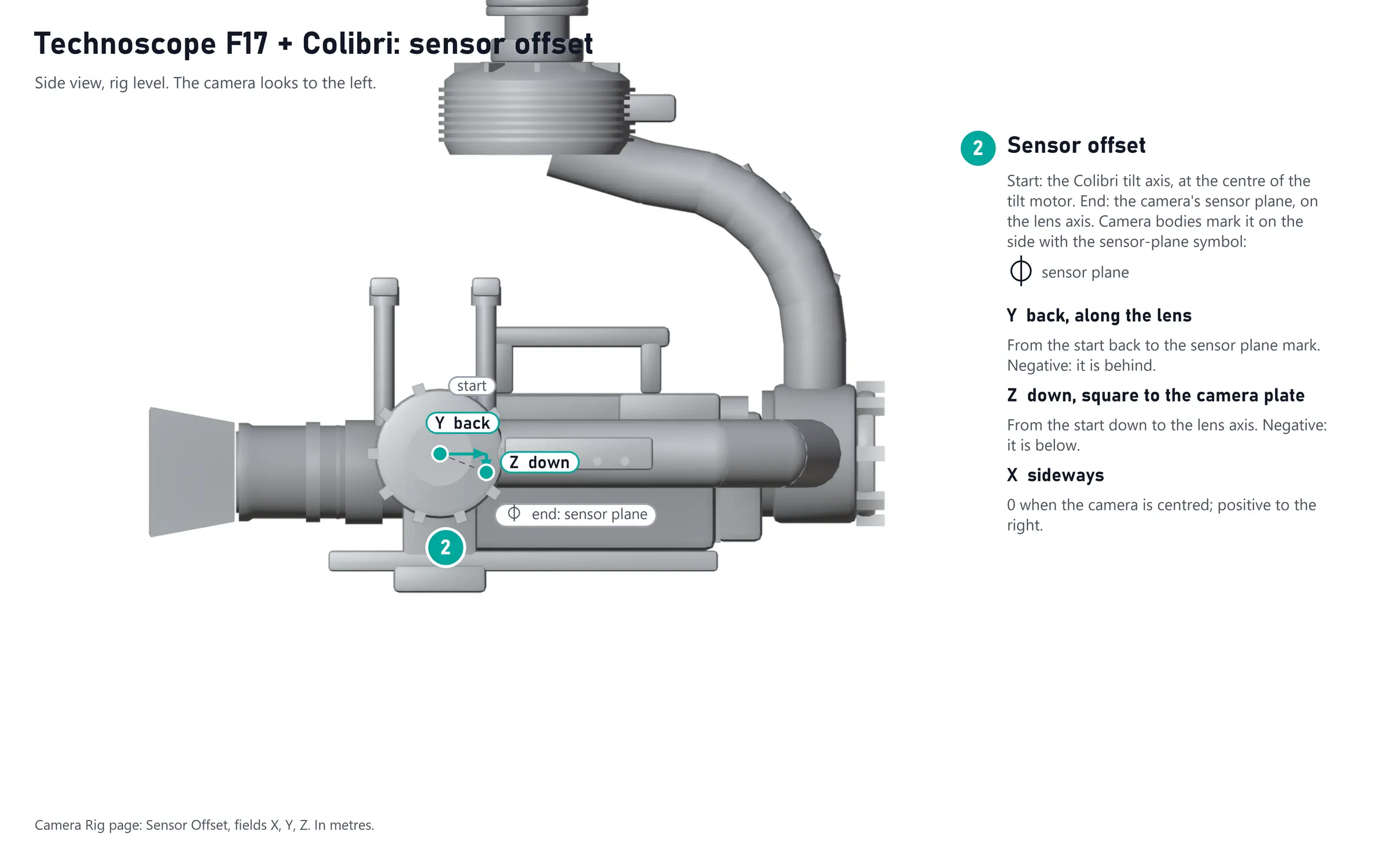
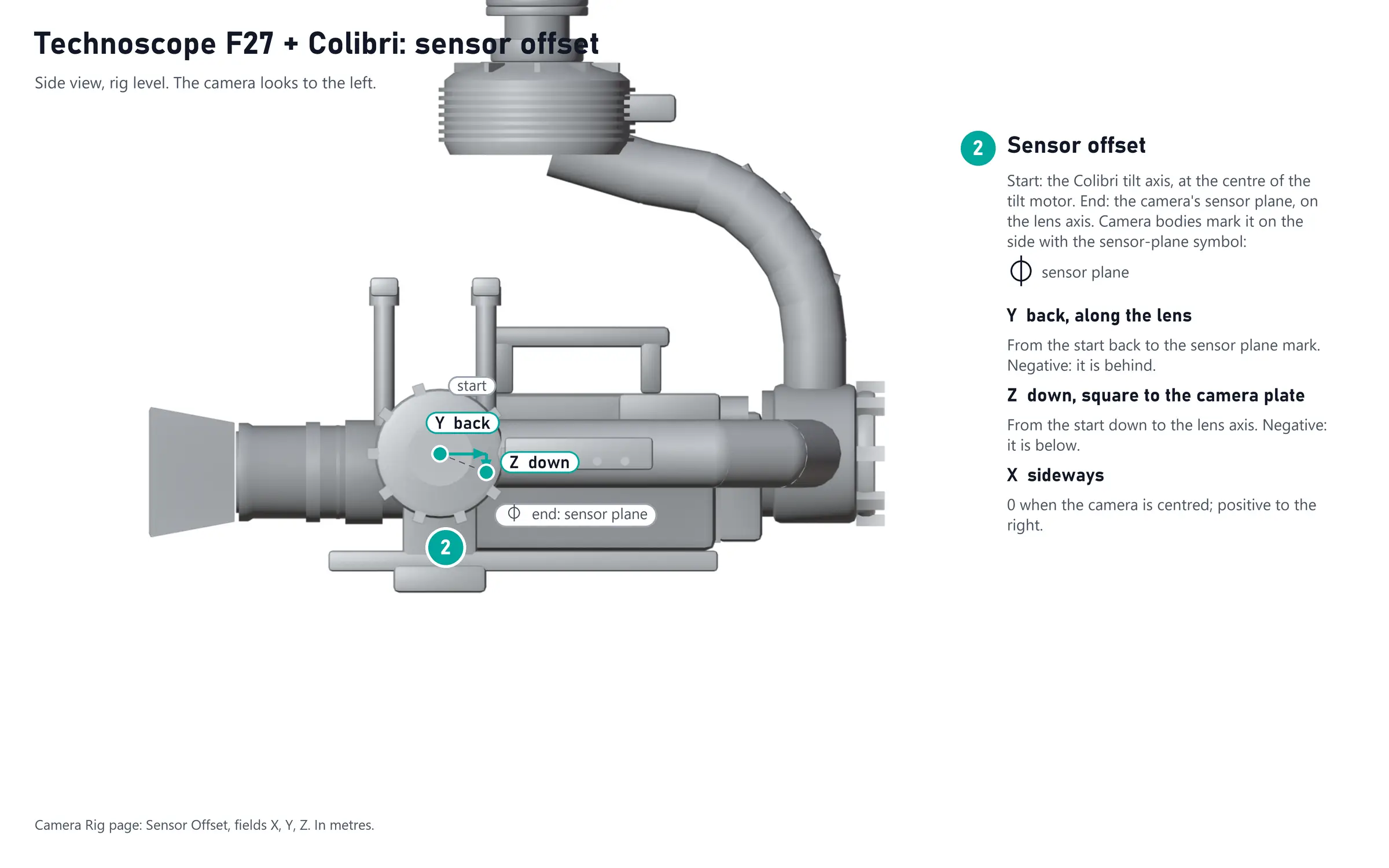
| Sensor offset | Colibri tilt axis to the Sensor plane16 | Y and Z = your sensor offset (2) |
Technoscope F27 + Colibri
Technoscope F17 + Colibri
The F17's reach uses the F27's scale (8191 counts per metre): at full reach, check the arm length in the 3D view against the real crane.