OptiTrack Edition tutorial
1. On Optitrack Motive
1.1. Rigid Body
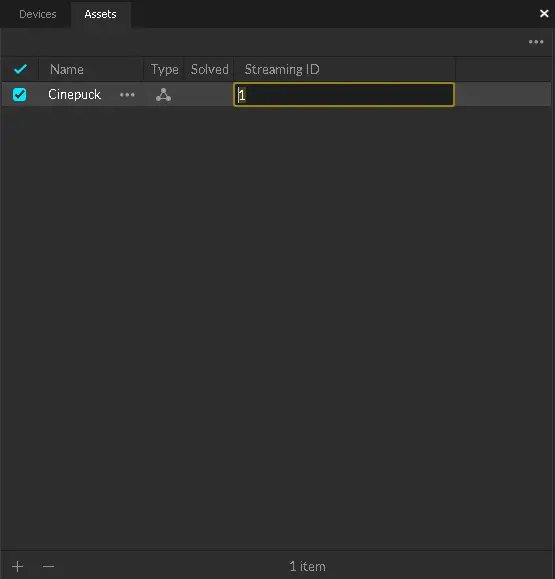
- in the rigid body settings (Assets tab), configure the Streaming ID value; you will need this value when configuring the source in RigFX
1.2. eSync2 (optional)
For optimal data feed synchronization, we recommend using the eSync2 device with your OptiTrack setup.
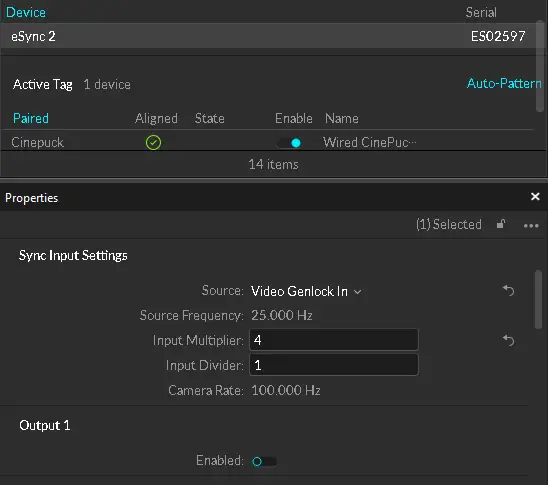
- in the eSync 2 settings, configure the Input Multiplier value; you will need this value when configuring the source in RigFX
1.3. Settings
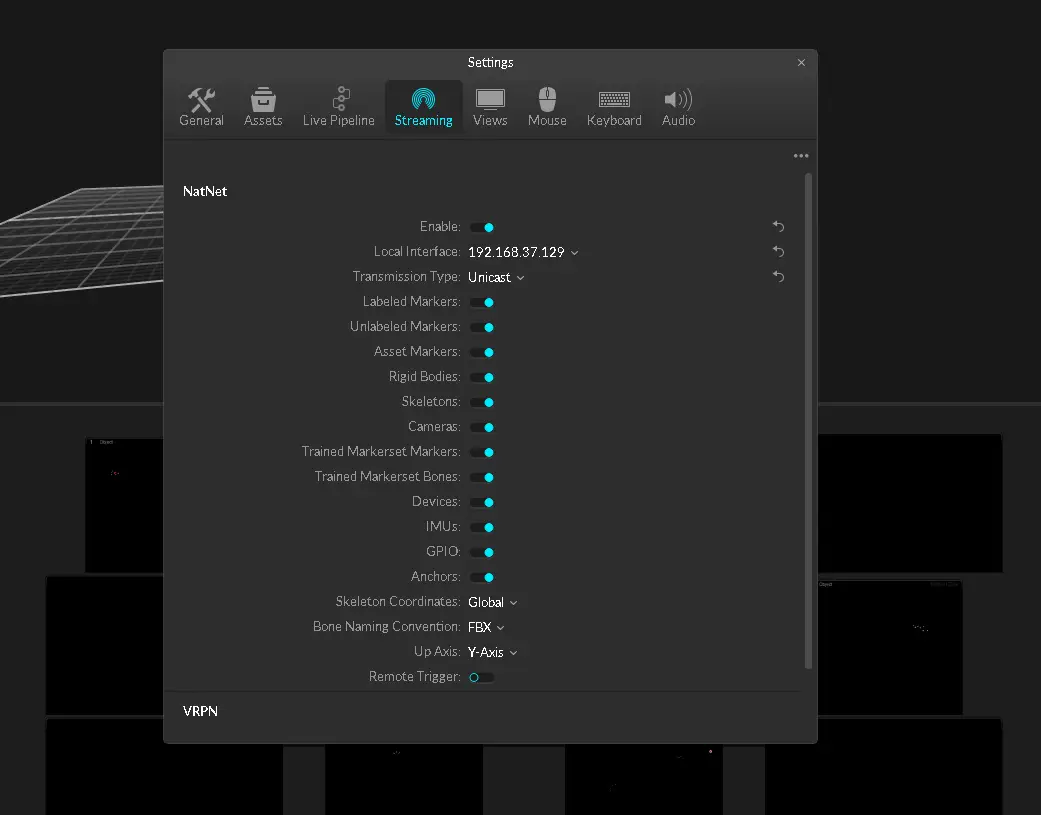
- go to Edit / Settings / Streaming
- set the Transmission Type to Unicast
- set the Local Interface to the IP adress of your Motive server target
2. On RigFX
- go to Settings / Source / Optitrack Source
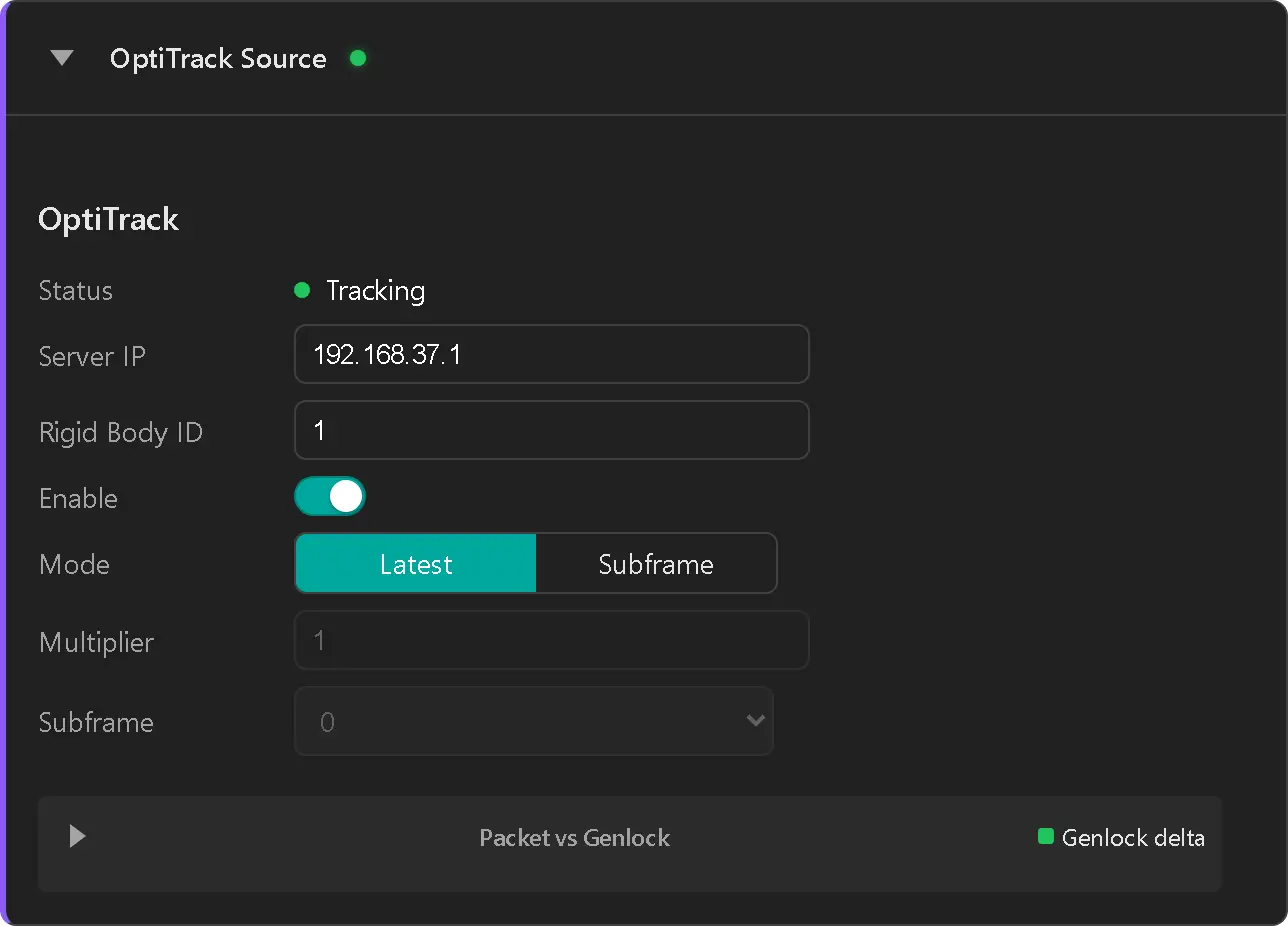
- set IP adress of your motive server target
- report the Rigid Body ID value configured previously in Motive
- enable the source
- Status label switch to Tracking (green dot)
- check data packet reception on the graph panel
- if eSync2 is available, report the Multiplier value configured previously in Motive
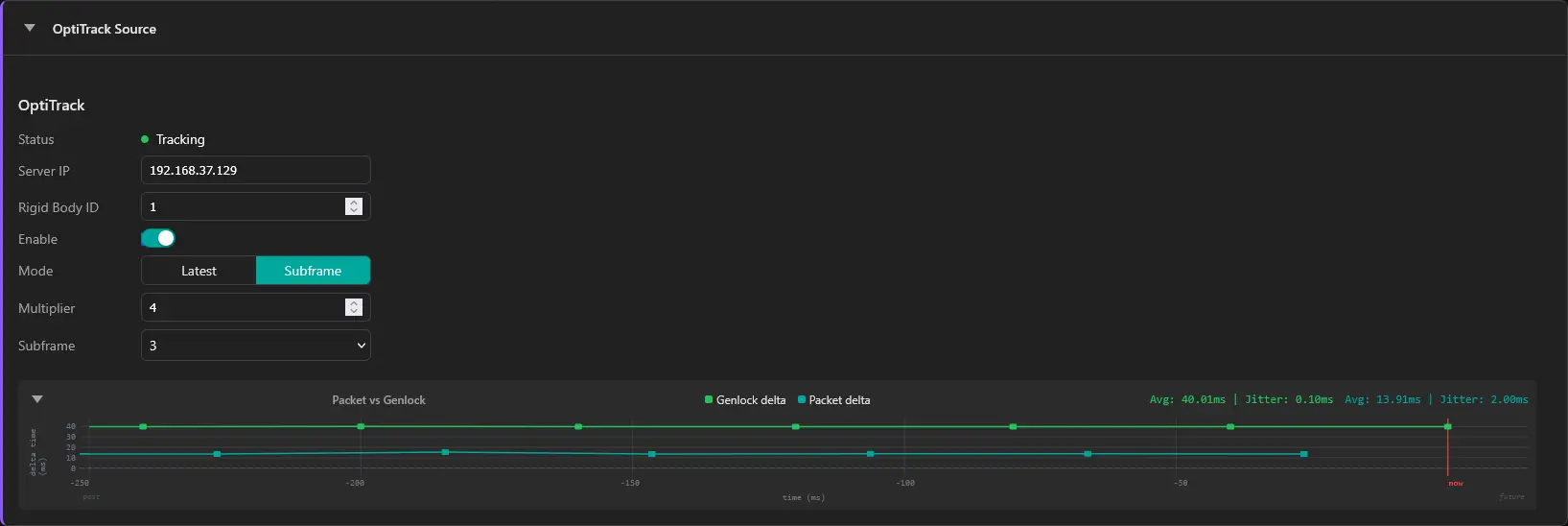
If the two lines are on top of each other, modify the Subframe value to differentiate the two