OpenTrackIO
1. On camera setup menu
- target RigFX IP adress for OpenTrackIO
2. On RigFX
- go to Settings / Source / OpenTrackIO Source
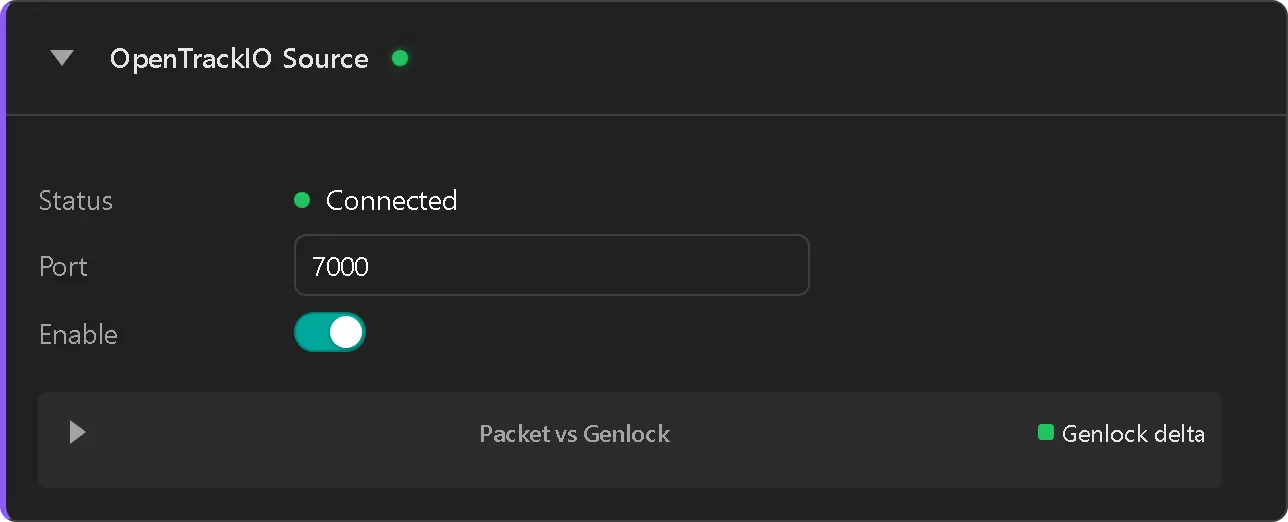
- set the reception port
- enable the source
- Status label switch to Connected (green dot)
- Check data packet reception on the graph panel
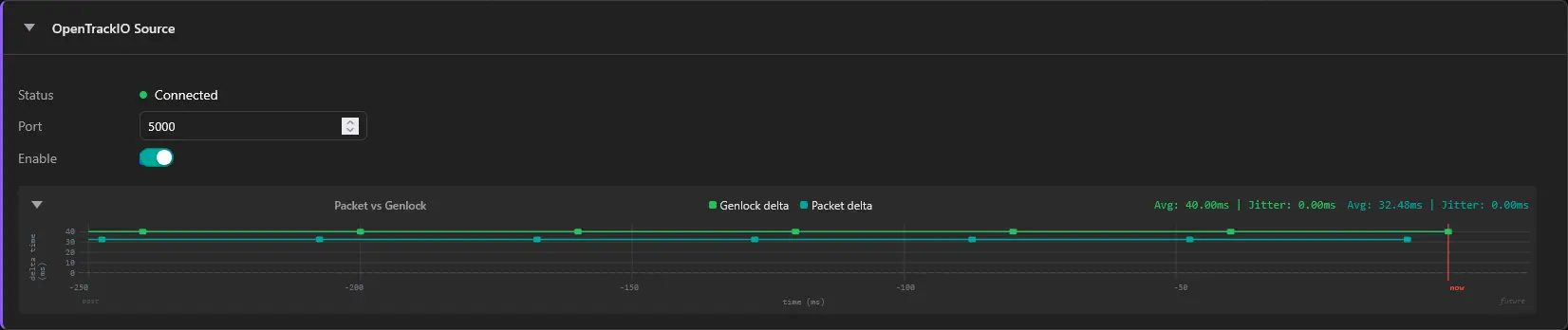
If the two lines are on top of each other, set some Phase Offset in Settings / Sync to differentiate the two