Camera Rig
The Camera Rig editor is where you describe your physical setup as a chain of Pose3D nodes. Each node can be set manually or driven by a motion source.
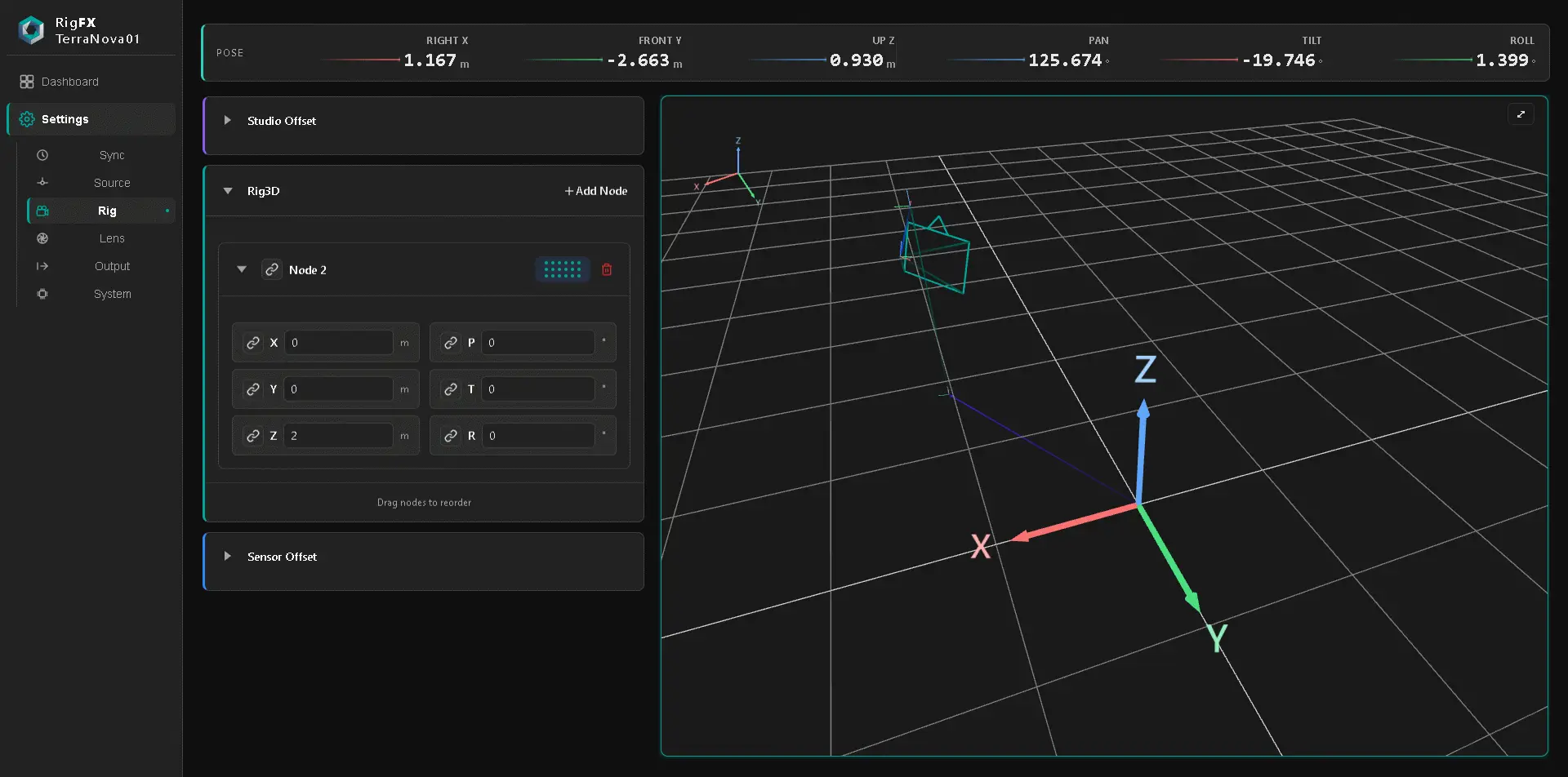
The accumulated transform is the camera sensor's pose in the studio referential, which feeds the Output.
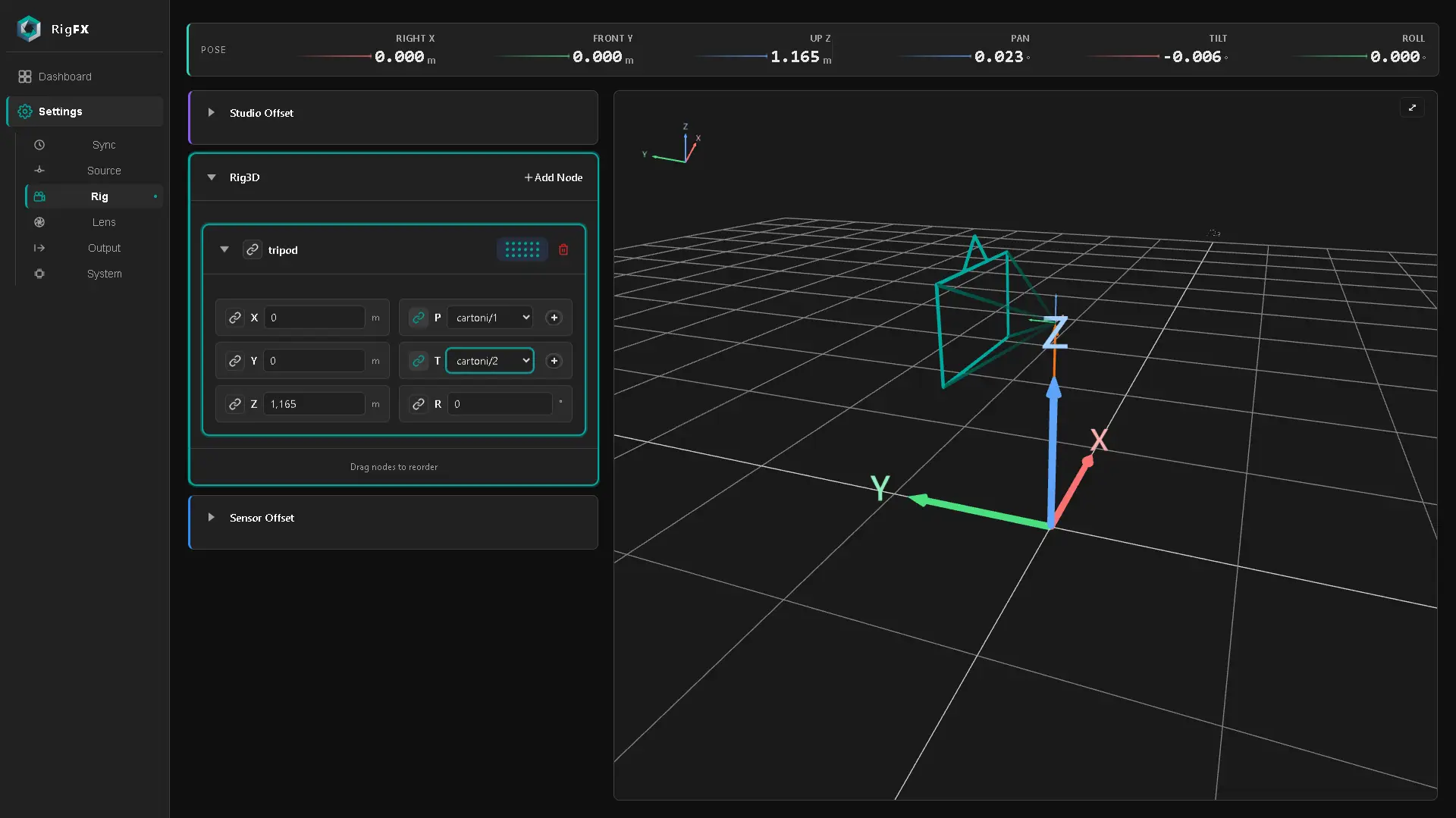
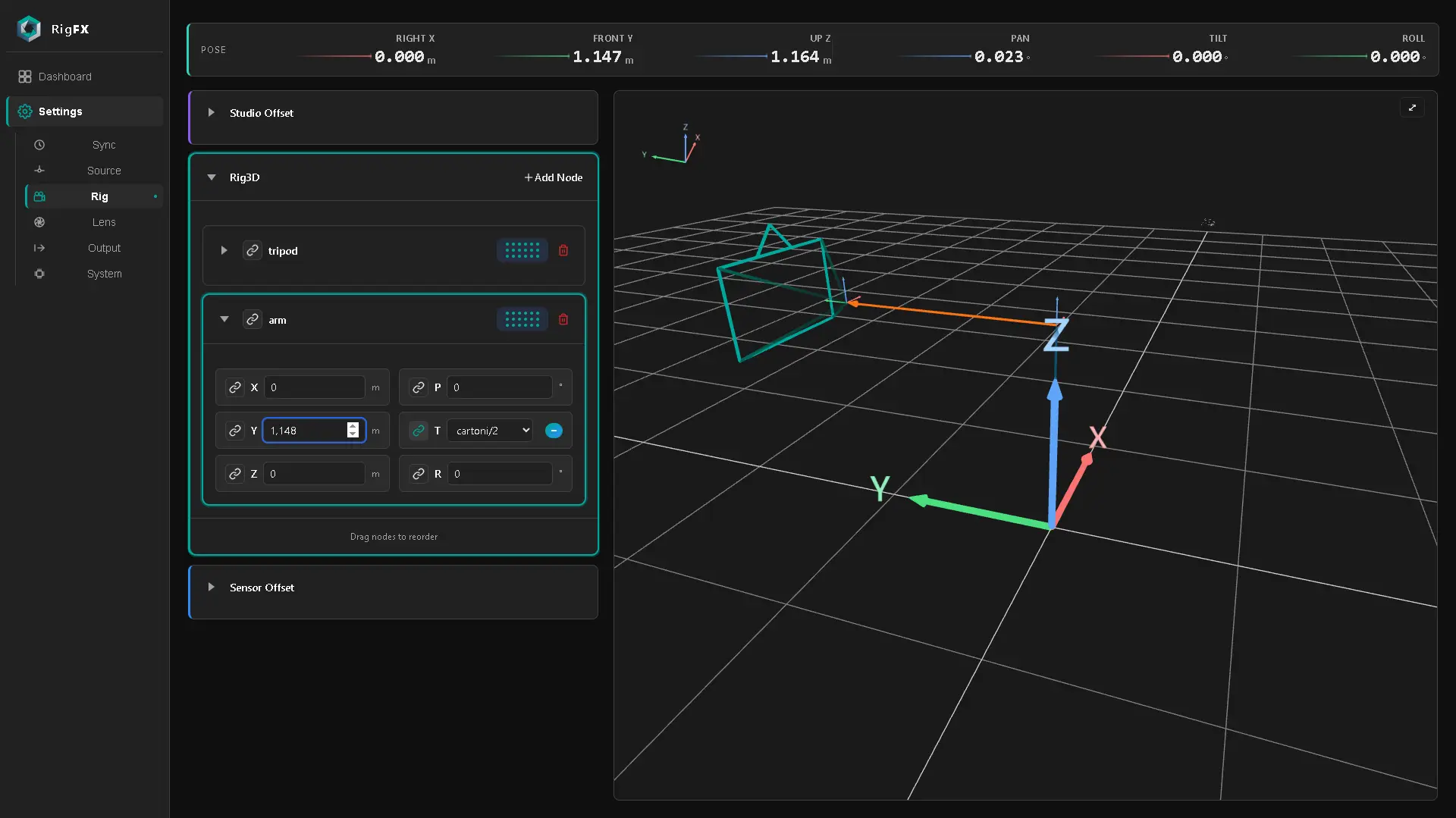
You can see the final coordinates of the rig on the top panel.

Static nodes
Studio Offset
At the beginning of the hierarchy there is always a Studio Offset Pose3D node, which you can edit manually.
This is the offset of the tracking device to the zero of the studio.

Sensor Offset
At the very end of the hierarchy there is always a Sensor Offset Pose3D node, which you can edit manually.
This is the offset of the camera sensor to the last transform of the tracker used.

Tip
Solutions like CalibFX Lineup can compute Studio Offset and Sensor Offset automatically and feed these two transforms.
Node list
Between Studio Offset and Sensor Offset, you can build a hierarchy of Pose3D nodes. Each node has six fields — pan, tilt, roll, and X, Y, Z translation — and can be set manually or bound to a motion source (Pose3D or 1D motion).

You can edit each field manually, or bind a source to:
- a single field (for example a 1D Cartoni encoder)
- when a field is bound to a source, Negate flips the sign of incoming data.
- a full
Pose3Dnode (for example a FreeD pose source).
Add, remove, and reorder Pose3D nodes. Order matters — transforms chain from top to bottom, so the first node is the base (tripod, dolly, slider) and the last node is the camera.
Axis convention
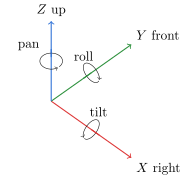
RigFX uses the OpenTrackIO convention — distances in meters, angles in degrees.
- X is positive to the right
- Y is positive to the front
- Z is positive to the up
- Pan (around Z) is positive to the left
- Tilt (around X) is positive to the top
- Roll (around Y) is positive clockwise
3D viewport
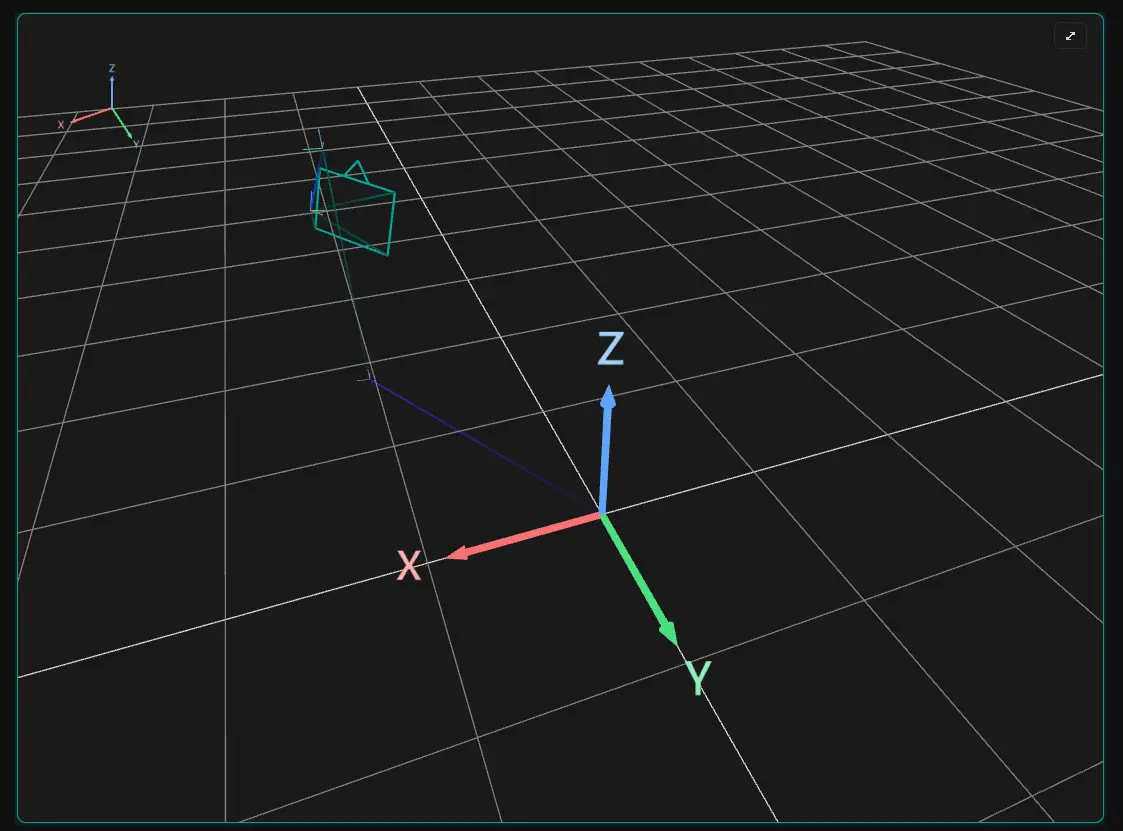
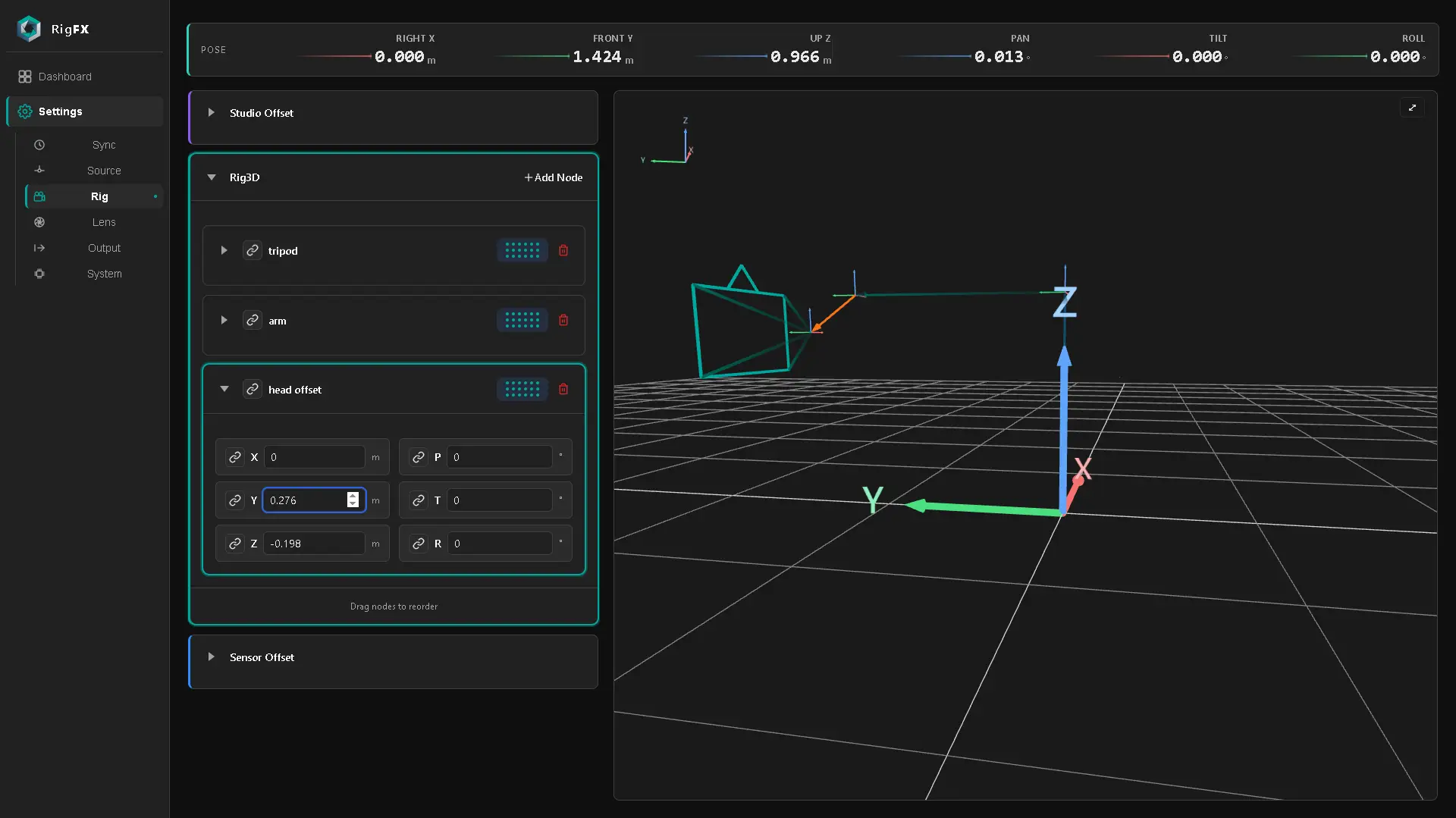
An interactive 3D viewport renders the live rig. Each node becomes a cone in the chain; the currently-selected node is highlighted in orange. The viewport updates live with the motion of the camera.
Worked example — tripod + arm + camera
The following nodes come from the Cartoni E-Jibo + Sony FR7 setup — see that page for the full step-by-step.
Tripod
Arm
Head offset