Export For Unreal Engine - EZtracking Plugin
Warning
The EZtracking plugin is not maintained for UE versions greater than 5.6. This is due to substancial changes in Composure, as well as the vanilla Unreal workflow having matured enough over the years that the EZtracking plugin has become redundant. For Unreal versions 5.7 and newer, this is the recommended workflow
Choose Unreal - EZtracking export in CalibFX Lens:

Install the EZtracking plugin and activate it inside the project plugins.
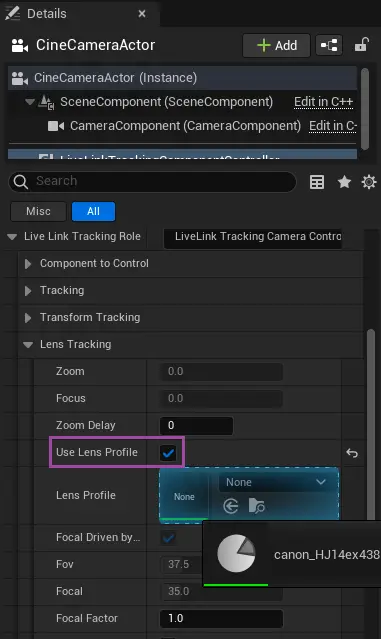
Drag and drop the .ezulens file in the content browser.

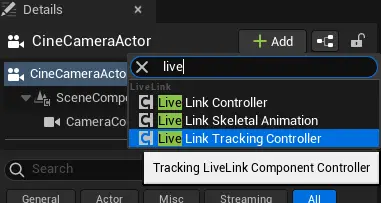
Add a Livelink Tracking Controller component to the Cine Camera Actor:
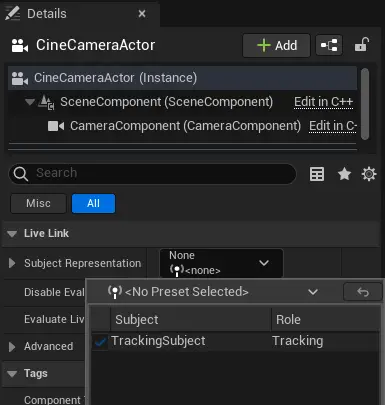
Set the tracking subject to the EZtracking source in Livelink:
Check the "Use Lens Profile" box and drag-and-drop the EZtracking Lens asset from the content browser to the socket just under: